How a cutscene is made
Twinsanity has two completely different kinds of cutscene, and telling them apart is the first thing to do when something misbehaves.
| In-engine scene | Pre-rendered movie | |
|---|---|---|
| What it is | The level's own characters, animated by scripts, with a scripted camera | A video file streamed from /FMV/*.PSS |
| Driven by | A director script | PlayMovie(id) in a script, then the movie player |
| Can be edited | Yes, with a level recipe | No - it is video |
| Skipping it | A rule on condition 572 | ✕ stops it, after about a second; the mod adds △ |
The Iceberg Lab interior is the classic trap: it looks like an in-engine scene and it has a perfectly good director
script sitting in the level, but what actually plays when you walk in is H02_B.PSS, 53 seconds of video. Hours went
into editing a script that was never going to run.
The cast
A scene involves three kinds of script:
The director (*_CUTSCENE_DIRECTOR_ACTIVATED) is the conductor. It is a short state machine that runs the
generic "a cutscene is starting" script, then the scene, then tidies up:
state 0  COM_GENERIC_CUTSCENE_BEGIN   → 1
state 1  COM_<NAME>_CUTSCENE_<CODE>   → 2      ← the scene itself
state 2  ToggleCutsceneCamera(off)    → 4
state 3  COM_<NAME>_CUTSCENE_SKIP     → 2      ← the skip path
state 4  (end)
state 5  if CutsceneSkipped → 3                ← the rule that reaches the skip path
The scene (COM_<NAME>_CUTSCENE_<CODE>, where the code is something like H02B or L04A) is the storyboard: a
long chain of states that move the camera, wait for animations, and message the actors. Camera moves are one command
with a dozen arguments; waits are AnimationFinished, TimeInUnit or "is the thing I'm focused on still busy".
The actors (CRASH_CUTSCENE_H02B, CORTEX_CUTSCENE_H02B, …) are one script per character, kept in the director
object's script slots. Each one walks its character through its part and waits for the scene's messages.

Marks and keys
Actors are placed with SetFocusToKey(n) followed by PosWarp / RotWarp. The "key" is a named position that
belongs to the scene, and here is the catch:
SetFocusToKey resolves against the running cutscene. If you make an actor warp to its mark from outside the scene
script - from the director, say, after the scene has already ended - the key resolves to nothing and the character
stays where it was. This is why most of this mod's skip recipes put their rule inside the scene script rather than
in the director.
How skipping was supposed to work
The design is clean:
- The director (or the scene) has a rule on condition 572,
CutsceneSkipped. - When it passes, the scene jumps to a
*_CUTSCENE_SKIPscript that fades the screen, fires the messages the scene would have fired, and fades back. - Each actor answers user message 244 ("skipped") by warping to its end mark and finishing its part.

And in the retail build none of it works, for two separate reasons:
- Condition 572 is stubbed. Its check function was replaced with "return 0.0", so the rule never passes. One executable patch fixes that for the whole game - see Executable patches.
- About 19 scenes had the wiring cut. The skip rule was moved into a state nothing reaches (state 5 in the example above), and in several scenes the actors' 244 handlers were moved out of reach too. That damage is in the level data, so each of those scenes needs its own recipe.
Writing a skip that works
Hard-won rules, each of which cost a test run to learn:
- Put the rule where the scene waits. Polled states,
+controlstates, and states running a sub-script. Never an instant state - see the warning in Scripts. - Run the scene's own ending, not your idea of it. A scene often sets up what comes next: it switches the player character, starts the chase music, mounts Crash on a vehicle. Copy the commands from the scene's final step rather than inventing them.
- Mind the order around a character switch.
SwitchCharactertears down the other character's script, so an actor must have reached its final state before the switch, not in the same frame. - Don't jump an actor straight to its last step if the scene still has work to do - the bell tower fight started a second and a half early that way. Route the actor to the state that waits for the scene's final message instead.
- Check what the developers' own skip script does before trusting it. The walrus chase's unfinished skip handler warps the walrus to whatever it is focused on - which is Crash - and kills you the instant control comes back.
- When the message routing is unclear, give each actor its own Triangle rule that performs its final step, and let them all skip in parallel. No message routing needed.
The on-screen prompt
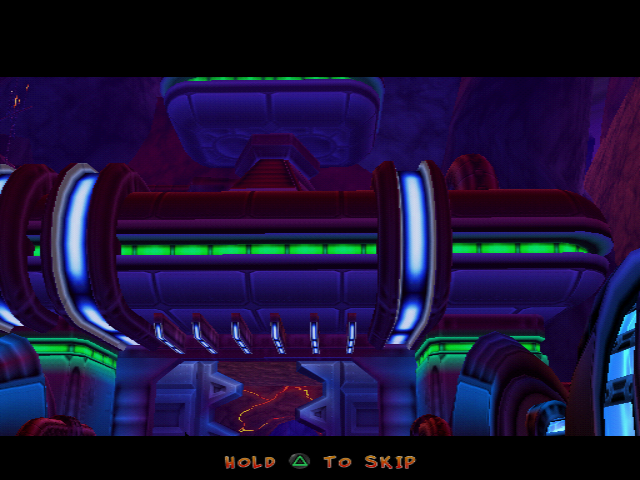
The mod draws HOLD △ TO SKIP in the letterbox bar while a scene can be skipped. It uses the game's own hint system:
- The text lives in
Language/AgentLab/<language>.txt, in one of the unused "zzz" slots (24). BottomTextDisplay(24, x, y, r, g, b, 0)shows it,BottomTextClear()hides it.- Not
BottomTextShow, which swaps the letterbox for a translucent hint strip. During a cutscene you want the text drawn inside the letterbox that is already there. - Glyphs:
^triangle,\cross,]circle,[square.
twinsdump's skipprompt auto op finds every state that runs a cutscene script and has a live 572 rule, and adds
the display and clear commands automatically, so the prompt always matches what is actually skippable.
Movies
Movies already stop for ✕ in the retail PAL release, but for nothing else. The mod makes them answer the same hold-△ as everything else, at the engine level rather than per scene - see The movie player.